
Simple improved candle script
Overview
Creator:
Mitsukara
Updated: 01 May 2014
Tags:
Item
Downloads: 53
|
View Script
Download Example (862.13 KB) |

Information
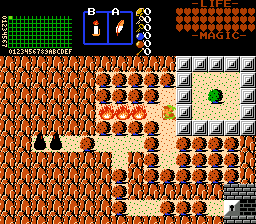
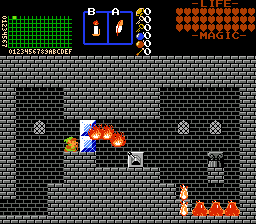
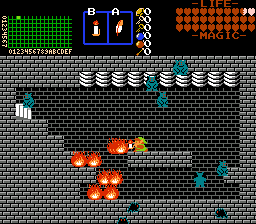
This is a very small item script that lets you make a better version of the candle weapon (for a level 3 candle upgrade, or similar idea), without needing to use any global scripts.
Description Setup Reviews Comments
(the basic stuff, for new scripters:)
Save the above code as a script ("shootbetterfire.z") with notepad or a similar text program. Then, on your script buffer, type
import "shootbetterfire.z"
(or whatever you named your script file). As always, make sure to keep the line "import std.zh" at the top of your buffer. Next, hit compile, and if it says success, add it to your item scripts. Then, make a custom candle item (or whatever class of item you want to use; you could also attach it to an existing one, like Candle 2 (Red)). Go to the item's scripts tab and select shootbetterfire.z for the Action script.
(the specifics for this script:)
Under the item's scripts tab, input these numbers:
D0 - The weapon sprite to use for the fires; ZC's default flame sprite is 12.
D1 - Speed of first flame; I recommend 150.
D2 - Speed of second flame; I recommend 60.
D3 - Speed of third flame; I recommend 120.
D4 - How much damage the flames do.
D5 - What sound the item makes while used; ZC's default fire sound is 13.
Note: The speed of D1, D2, and D3 affect not only how fast the flames travel, but how far they go. Make them go faster and they'll shoot farther, or slower for not so far. The default candle fire speed for the built in Blue and Red candles seems to be 40; adding increments of 50 move it ahead by about 16 pixels or so.
Save the above code as a script ("shootbetterfire.z") with notepad or a similar text program. Then, on your script buffer, type
import "shootbetterfire.z"
(or whatever you named your script file). As always, make sure to keep the line "import std.zh" at the top of your buffer. Next, hit compile, and if it says success, add it to your item scripts. Then, make a custom candle item (or whatever class of item you want to use; you could also attach it to an existing one, like Candle 2 (Red)). Go to the item's scripts tab and select shootbetterfire.z for the Action script.
(the specifics for this script:)
Under the item's scripts tab, input these numbers:
D0 - The weapon sprite to use for the fires; ZC's default flame sprite is 12.
D1 - Speed of first flame; I recommend 150.
D2 - Speed of second flame; I recommend 60.
D3 - Speed of third flame; I recommend 120.
D4 - How much damage the flames do.
D5 - What sound the item makes while used; ZC's default fire sound is 13.
Note: The speed of D1, D2, and D3 affect not only how fast the flames travel, but how far they go. Make them go faster and they'll shoot farther, or slower for not so far. The default candle fire speed for the built in Blue and Red candles seems to be 40; adding increments of 50 move it ahead by about 16 pixels or so.

