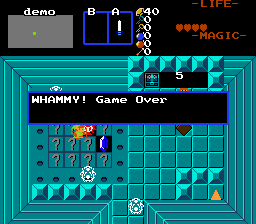
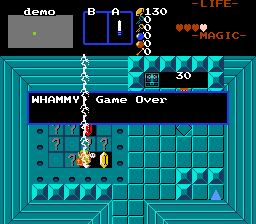
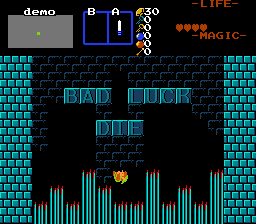
It`s time to Press Your Luck! Stand on FFC and press Ex1 to pay initial cost. The cards are shuffled. Stand on card and press Ex1 to flip it over. It`s effect resolves. Most cards add score, some have special effects. Some cards are labeled as Whammies, which, if flipped over, end the game, flushing the score. At any time you can end the game by standing on FFC and press Ex1 again, to take out winnings. This also ends the game.
Update 30.03.2022 - Fixed lightning rendering on top of game over message.
ghost.zh required.
1.Set up PRESSLUCK_DECKSIZE combos for different card effects
0 - card back
1 - blank
2 - score + 5
3 - score + 10
4 - score + 20
5 - score + 50
6 - score + 100
7 - score + 200
8 - banks the score immediately, before ending the game, if labeled as Whammy.
9 - triggers screen secrets
10 - awards Link item
11 - lightning strikes Link for damage
12 - enemies spawned
13+ - general purpose (scripts). In the demo, 13 is a pit that sends Link into instant death spikes.
2. Assign CF_PRESSLUCK_WHAMMY inherent flag to certain combos in the deck.
3. Place combos from step 1, forming the grid and deck of all possible outcomes in the game
If you use combos like pitfalls, block off play area with CMB_PRESSLUCK_BARRIER combos to prevent accident falls.
4. Place FFC with card back combo and script assigned
D0 - #####.____ - string to display at introduction.
D0 - _____.#### - string to display when the game is started.
D1 - game cost, in rupees.
D2 - damage dealt by lightning (card#11)
D3 - ID of item to reward (card#10)
D4 - Number of enemies to spawn (card#12)
D5 - ID of enemies to spawn(card#12)
D6 - combo position to render HUD for minigame
D7 - #####.____ - string to display at ending the game via stop.
D7 - _____.#### - string to display at ending the game via Whammy.