
smartcombos.zh
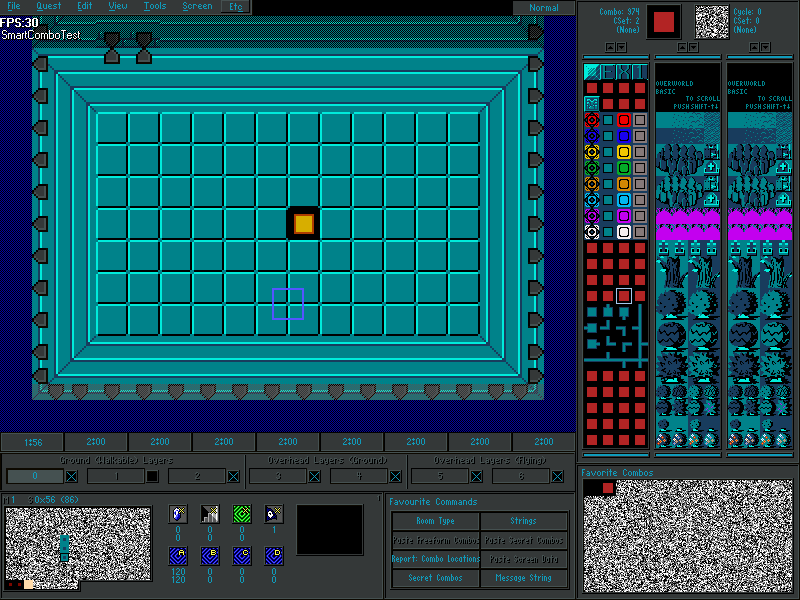
Overview
Creator:
Alucard648
Updated: 24 May 2024
Tags:
FFC,
Library
Downloads: 18
|
View Script
Download Package (861.48 KB) |

Information
A library for placing and operating with self-connecting combos.

Description Setup Reviews Comments
1.Set up combos, as shown in screen shot #1
2.Import and compile the library.
In all functions "origcmb" argument points to 1st combo in setup you did in step 1.
void SmartComboPlace(int pos, int origcmb)
//Places combo at given position and replaces adjacent combos to avoid cutoff
void SmartComboErase(int pos, int origcmb, int ucmb)
//Erase combo at given position by replacing it with "ucmb" and replaces adjacent combos to avoid cutoff
ffc script SmartComboTest
//Test script. Ex1-Place, Ex2-Erase. All combos that are connected to combo that is also a part of combo setup from step 1 will be painted to CSet 5, otherwise CSet 2.
Place FFC with 1st combo in setup you did in step 1 at origin of network. No arguments used.
void SmartCombos_LoadNetwork(int net, int node, int origcmb)
//Loads/updates connected network of combos, starting from given position into buffer (176 minimum)
bool SmartCombos_NodesConnected(int nodes, int origcmb)
//Returns true, if all combos that consist of "nodes" array, are connected by a single network of smart combos connected using origcmb as 1st combo in setup.
void ConnectDirectionalCombos(int origcmb, bool color)
//Connects all smart combos of given CSet, thus fixing cutoff. Has option for separate CSets
2.Import and compile the library.
In all functions "origcmb" argument points to 1st combo in setup you did in step 1.
void SmartComboPlace(int pos, int origcmb)
//Places combo at given position and replaces adjacent combos to avoid cutoff
void SmartComboErase(int pos, int origcmb, int ucmb)
//Erase combo at given position by replacing it with "ucmb" and replaces adjacent combos to avoid cutoff
ffc script SmartComboTest
//Test script. Ex1-Place, Ex2-Erase. All combos that are connected to combo that is also a part of combo setup from step 1 will be painted to CSet 5, otherwise CSet 2.
Place FFC with 1st combo in setup you did in step 1 at origin of network. No arguments used.
void SmartCombos_LoadNetwork(int net, int node, int origcmb)
//Loads/updates connected network of combos, starting from given position into buffer (176 minimum)
bool SmartCombos_NodesConnected(int nodes, int origcmb)
//Returns true, if all combos that consist of "nodes" array, are connected by a single network of smart combos connected using origcmb as 1st combo in setup.
void ConnectDirectionalCombos(int origcmb, bool color)
//Connects all smart combos of given CSet, thus fixing cutoff. Has option for separate CSets

