
Tetris Blocks 4 + Remote controller

Overview
Creator:
Alucard648
Updated: 25 May 2024
Tags:
FFC
Downloads: 17
|
Download Package (1.96 MB) |

Information
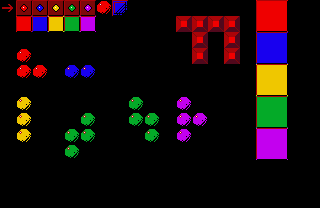
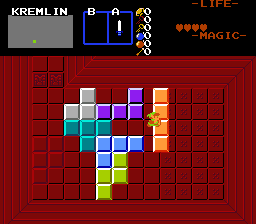
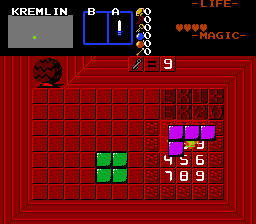
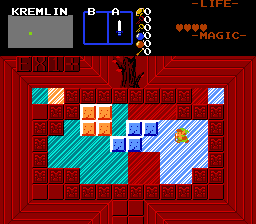
Alternate variant of Moosh`s polyomino pushblocks, that evolved into extensive collection of various polyomino puzzle elements. And script for remote controller.
Made on request by SkyFlare.
Made on request by SkyFlare.

Description Setup Reviews Comments
//Tetris-like pushable blocks (normal):
1.Set up solid combo with blank tile for CMB_TETRIS_PUSHBLOCK_SOLID constant.
2.Build floor where blocks can be moved on background layer.
3.Place FFC at block initial position. Assign TileWidth and TileHeight so it encompasses entire block.
D0-D3 Block shape, like Moosh`s way to set up blocks in his script.
[0][1][0][0]
[1][1][0][0]
L-shaped small piece, rotating at center - D0 = 100, D1 = 1100, D2=0, D3=0
[0][1][0][0]
[1][1][0][0]
[1][0][0][0]
Z-shaped piece, rotating at center - D0 = 100, D1 = 1000, D2 = 100, D3=0
As an alternative, you can build shape using combos, place 1x1 FFC with the same combo and CSet at top left corner of shape, and leave D0 as 0.
D4 - Weight, bracelet level needed to push block by hand. If remote controller is used, weight is treated as 0.
D5 - Allowed push directions, both by hand and remote controller. Add together: 1 - Up, 2 - Down, 4 - Left, 8 - Right.
If you leave D5 as 0, all push directions are available.
D6 - add together: 1 - gets stuck after 1 push, 2 - gets stuck when landing on trigger, 4 - icy block, continue moving in direction until hitting obstacle, 8 - ignore triggers, 16 - require triggers with dame CSet as FFC`s Cset, 32 - use FAST Combo automatic rendering.
//Tetris pushblock remote controller:
1.Effect Width and EffectHeight are used.
2.Place FFC at controller`s position.
D0 - ID of FFC. It must run TetrisPushBlock script, of you will get error message into allegro.log
//Non-solid klotski-like tetromino (normal):
1.Set up combo with blank tile and NoPushBlocks inherent flag for CMB_TETRIS_KLOTSKI_NONSOLID constant.
2.Build floor where blocks can be moved on background layer.
3.Place FFC at block initial position. Assign TileWidth and TileHeight so it encompasses entire block.
D0-D3 Block shape, like Moosh`s way to set up blocks.
[0][1][0][0]
[1][1][0][0]
T-shaped piece, rotating at center - D0 = 100, D1 = 1100, D2=0, D3=0
[0][1][0][0]
[1][1][0][0]
[1][0][0][0]
Z-shaped piece, rotating at center - D0 = 100, D1 = 1000, D2 = 100, D3=0
As an alternative, you can build shape using combos, place 1x1 FFC with the same combo and CSet at top left corner of shape, and leave D0 as 0.
D4 - Weight, bracelet level needed to push block.
D5 - Allowed push directions. Add together: 1 - Up, 2 - Down, 4 - Left, 8 - Right.
If you leave D5 as 0, all push directions are available.
D6 - add together: 1 - gets stuck after 1 push, 2 - gets stuck when landing on trigger, 4 - icy block, continue moving in direction until hitting obstacle, 8 - ignore triggers, 16 - require triggers with same CSet as FFC`s Cset, 32 - use FAST Combo automatic rendering.
//Lift and place polyominoes (normal).
1.Set up combo with blank tile and NoPushBlocks inherent flag for CMB_TETRIS_KLOTSKI_NONSOLID constant.
2.Build floor where blocks can be moved on background layer.
3.Place FFC at block initial position. Assign TileWidth and TileHeight so it encompasses entire block.
D0-D3 Block shape, like Moosh`s way to set up blocks.
[0][1][0][0]
[1][1][0][0]
T-shaped piece, rotating at center - D0 = 100, D1 = 1100, D2=0, D3=0
[0][1][0][0]
[1][1][0][0]
[1][0][0][0]
Z-shaped piece, rotating at center - D0 = 100, D1 = 1000, D2 = 100, D3=0
As an alternative, you can build shape using combos, place 1x1 FFC with the same combo and CSet at top left corner of shape, and leave D0 as 0.
D4 - Weight, bracelet level needed to push block by hand. If remote controller is used, weight is treated as 0.
D5 - unused
D6 - add together: 1 - allow rotating with EX2,2 - allow flipping horizontally with EX3, 8 - ignore triggers, 16 - require triggers with same CSet as FFC`s Cset.
//Tetris-like painting pushable block.
1.Set up 2 consecutive combos, 1 for Tetris combo itself, then one to paint combos with.
2.Flag all target combos, including combo under FFC, with the same flag ID.
3.Place FFC at block initial position. Assign TileWidth and TileHeight so it encompasses entire block.
D0-D3 Block shape, like Moosh`s way to set up blocks.
[0][1][0][0]
[1][1][0][0]
T-shaped piece, rotating at center - D0 = 100, D1 = 1100, D2=0, D3=0
[0][1][0][0]
[1][1][0][0]
[1][0][0][0]
Z-shaped piece, rotating at center - D0 = 100, D1 = 1000, D2 = 100, D3=0
As an alternative, you can build shape using 1st combo from step 1, place 1x1 FFC with the same combo and CSet at top left corner of shape, and leave D0 as 0.
D4 - Weight, bracelet level needed to push block by hand. If remote controller is used, weight is treated as 0.
D5 - Allowed push directions, both by hand and remote controller. Add together: 1 - Up, 2 - Down, 4 - Left, 8 - Right.
If you leave D5 as 0, all push directions are available.
D6 - add together: 1 - gets stuck after 1 push, 2 - gets stuck when all target combos are painted, 4 - icy block, continue moving in direction until hitting obstacle, 8 - ignore triggers, 16 - require triggers with same CSet as FFC`s Cset, 32 - use FAST Combo automatic rendering.
//Non-solid klotski-like painting polyomino.
1.Set up 2 consecutive combos, 1 for Tetris combo itself (non-solid, with NoPushBlocks inherent flag), then one to paint combos with.
2.Flag all target combos, including combo under FFC, with the same flag ID.
3.Place FFC at block initial position. Assign TileWidth and TileHeight so it encompasses entire block.
D0-D3 Block shape, like Moosh`s way to set up blocks.
[0][1][0][0]
[1][1][0][0]
T-shaped piece, rotating at center - D0 = 100, D1 = 1100, D2=0, D3=0
[0][1][0][0]
[1][1][0][0]
[1][0][0][0]
Z-shaped piece, rotating at center - D0 = 100, D1 = 1000, D2 = 100, D3=0
As an alternative, you can build shape using combos, place 1x1 FFC with the same combo and CSet at top left corner of shape, and leave D0 as 0.
D4 - Weight, bracelet level needed to push block.
D5 - Allowed push directions. Add together: 1 - Up, 2 - Down, 4 - Left, 8 - Right.
If you leave D5 as 0, all push directions are available.
D6 - add together: 1 - gets stuck after 1 push, 2 - gets stuck when all target combos are painted, 4 - icy block, continue moving in direction until hitting obstacle, 8 - ino secret trigger, 16 - unused, 32 - use FAST Combo automatic rendering.
//Lift and Place Painting Polyomino
1.Set up 2 consecutive combos with the same tile, 1 for Tetris combo itself, then one to paint combos with.
2.Build floor where blocks can be moved on background layer.
3.Place FFC at block initial position. Assign TileWidth and TileHeight so it encompasses entire block.
D0-D3 Block shape, like Moosh`s way to set up blocks.
[0][1][0][0]
[1][1][0][0]
T-shaped piece, rotating at center - D0 = 100, D1 = 1100, D2=0, D3=0
[0][1][0][0]
[1][1][0][0]
[1][0][0][0]
Z-shaped piece, rotating at center - D0 = 100, D1 = 1000, D2 = 100, D3=0
As an alternative, you can build shape using combos, place FFC with the same combo and CSet at top left corner of shape, and leave D0 as 0.
D4 - Weight, bracelet level needed to lift the polyomino. If remote controller is used, weight is treated as 0.
D5 - unused
D6 - add together: 1 - allow rotating with EX2,2 - allow flipping horizontally with EX3, 4 - ban placing on already painted combos, 8 - ignore triggers.
1.Set up solid combo with blank tile for CMB_TETRIS_PUSHBLOCK_SOLID constant.
2.Build floor where blocks can be moved on background layer.
3.Place FFC at block initial position. Assign TileWidth and TileHeight so it encompasses entire block.
D0-D3 Block shape, like Moosh`s way to set up blocks in his script.
[0][1][0][0]
[1][1][0][0]
L-shaped small piece, rotating at center - D0 = 100, D1 = 1100, D2=0, D3=0
[0][1][0][0]
[1][1][0][0]
[1][0][0][0]
Z-shaped piece, rotating at center - D0 = 100, D1 = 1000, D2 = 100, D3=0
As an alternative, you can build shape using combos, place 1x1 FFC with the same combo and CSet at top left corner of shape, and leave D0 as 0.
D4 - Weight, bracelet level needed to push block by hand. If remote controller is used, weight is treated as 0.
D5 - Allowed push directions, both by hand and remote controller. Add together: 1 - Up, 2 - Down, 4 - Left, 8 - Right.
If you leave D5 as 0, all push directions are available.
D6 - add together: 1 - gets stuck after 1 push, 2 - gets stuck when landing on trigger, 4 - icy block, continue moving in direction until hitting obstacle, 8 - ignore triggers, 16 - require triggers with dame CSet as FFC`s Cset, 32 - use FAST Combo automatic rendering.
//Tetris pushblock remote controller:
1.Effect Width and EffectHeight are used.
2.Place FFC at controller`s position.
D0 - ID of FFC. It must run TetrisPushBlock script, of you will get error message into allegro.log
//Non-solid klotski-like tetromino (normal):
1.Set up combo with blank tile and NoPushBlocks inherent flag for CMB_TETRIS_KLOTSKI_NONSOLID constant.
2.Build floor where blocks can be moved on background layer.
3.Place FFC at block initial position. Assign TileWidth and TileHeight so it encompasses entire block.
D0-D3 Block shape, like Moosh`s way to set up blocks.
[0][1][0][0]
[1][1][0][0]
T-shaped piece, rotating at center - D0 = 100, D1 = 1100, D2=0, D3=0
[0][1][0][0]
[1][1][0][0]
[1][0][0][0]
Z-shaped piece, rotating at center - D0 = 100, D1 = 1000, D2 = 100, D3=0
As an alternative, you can build shape using combos, place 1x1 FFC with the same combo and CSet at top left corner of shape, and leave D0 as 0.
D4 - Weight, bracelet level needed to push block.
D5 - Allowed push directions. Add together: 1 - Up, 2 - Down, 4 - Left, 8 - Right.
If you leave D5 as 0, all push directions are available.
D6 - add together: 1 - gets stuck after 1 push, 2 - gets stuck when landing on trigger, 4 - icy block, continue moving in direction until hitting obstacle, 8 - ignore triggers, 16 - require triggers with same CSet as FFC`s Cset, 32 - use FAST Combo automatic rendering.
//Lift and place polyominoes (normal).
1.Set up combo with blank tile and NoPushBlocks inherent flag for CMB_TETRIS_KLOTSKI_NONSOLID constant.
2.Build floor where blocks can be moved on background layer.
3.Place FFC at block initial position. Assign TileWidth and TileHeight so it encompasses entire block.
D0-D3 Block shape, like Moosh`s way to set up blocks.
[0][1][0][0]
[1][1][0][0]
T-shaped piece, rotating at center - D0 = 100, D1 = 1100, D2=0, D3=0
[0][1][0][0]
[1][1][0][0]
[1][0][0][0]
Z-shaped piece, rotating at center - D0 = 100, D1 = 1000, D2 = 100, D3=0
As an alternative, you can build shape using combos, place 1x1 FFC with the same combo and CSet at top left corner of shape, and leave D0 as 0.
D4 - Weight, bracelet level needed to push block by hand. If remote controller is used, weight is treated as 0.
D5 - unused
D6 - add together: 1 - allow rotating with EX2,2 - allow flipping horizontally with EX3, 8 - ignore triggers, 16 - require triggers with same CSet as FFC`s Cset.
//Tetris-like painting pushable block.
1.Set up 2 consecutive combos, 1 for Tetris combo itself, then one to paint combos with.
2.Flag all target combos, including combo under FFC, with the same flag ID.
3.Place FFC at block initial position. Assign TileWidth and TileHeight so it encompasses entire block.
D0-D3 Block shape, like Moosh`s way to set up blocks.
[0][1][0][0]
[1][1][0][0]
T-shaped piece, rotating at center - D0 = 100, D1 = 1100, D2=0, D3=0
[0][1][0][0]
[1][1][0][0]
[1][0][0][0]
Z-shaped piece, rotating at center - D0 = 100, D1 = 1000, D2 = 100, D3=0
As an alternative, you can build shape using 1st combo from step 1, place 1x1 FFC with the same combo and CSet at top left corner of shape, and leave D0 as 0.
D4 - Weight, bracelet level needed to push block by hand. If remote controller is used, weight is treated as 0.
D5 - Allowed push directions, both by hand and remote controller. Add together: 1 - Up, 2 - Down, 4 - Left, 8 - Right.
If you leave D5 as 0, all push directions are available.
D6 - add together: 1 - gets stuck after 1 push, 2 - gets stuck when all target combos are painted, 4 - icy block, continue moving in direction until hitting obstacle, 8 - ignore triggers, 16 - require triggers with same CSet as FFC`s Cset, 32 - use FAST Combo automatic rendering.
//Non-solid klotski-like painting polyomino.
1.Set up 2 consecutive combos, 1 for Tetris combo itself (non-solid, with NoPushBlocks inherent flag), then one to paint combos with.
2.Flag all target combos, including combo under FFC, with the same flag ID.
3.Place FFC at block initial position. Assign TileWidth and TileHeight so it encompasses entire block.
D0-D3 Block shape, like Moosh`s way to set up blocks.
[0][1][0][0]
[1][1][0][0]
T-shaped piece, rotating at center - D0 = 100, D1 = 1100, D2=0, D3=0
[0][1][0][0]
[1][1][0][0]
[1][0][0][0]
Z-shaped piece, rotating at center - D0 = 100, D1 = 1000, D2 = 100, D3=0
As an alternative, you can build shape using combos, place 1x1 FFC with the same combo and CSet at top left corner of shape, and leave D0 as 0.
D4 - Weight, bracelet level needed to push block.
D5 - Allowed push directions. Add together: 1 - Up, 2 - Down, 4 - Left, 8 - Right.
If you leave D5 as 0, all push directions are available.
D6 - add together: 1 - gets stuck after 1 push, 2 - gets stuck when all target combos are painted, 4 - icy block, continue moving in direction until hitting obstacle, 8 - ino secret trigger, 16 - unused, 32 - use FAST Combo automatic rendering.
//Lift and Place Painting Polyomino
1.Set up 2 consecutive combos with the same tile, 1 for Tetris combo itself, then one to paint combos with.
2.Build floor where blocks can be moved on background layer.
3.Place FFC at block initial position. Assign TileWidth and TileHeight so it encompasses entire block.
D0-D3 Block shape, like Moosh`s way to set up blocks.
[0][1][0][0]
[1][1][0][0]
T-shaped piece, rotating at center - D0 = 100, D1 = 1100, D2=0, D3=0
[0][1][0][0]
[1][1][0][0]
[1][0][0][0]
Z-shaped piece, rotating at center - D0 = 100, D1 = 1000, D2 = 100, D3=0
As an alternative, you can build shape using combos, place FFC with the same combo and CSet at top left corner of shape, and leave D0 as 0.
D4 - Weight, bracelet level needed to lift the polyomino. If remote controller is used, weight is treated as 0.
D5 - unused
D6 - add together: 1 - allow rotating with EX2,2 - allow flipping horizontally with EX3, 4 - ban placing on already painted combos, 8 - ignore triggers.

