
Rotating/Moving corner puzzle
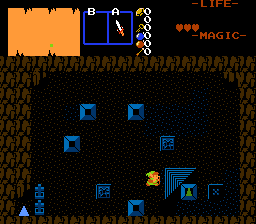
Overview
Creator:
Alucard648
Added: 25 Feb 2022
Tags:
FFC
Downloads: 8
|
View Script
Download Package (1.96 MB) |

Information
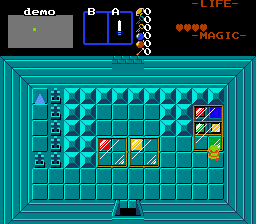
Pushblock With Rotating Corner + Non-solid glass slideblock With Rotating Corner
2 FFC scripts sharing the same puzzle mechanic - tumbling corner. Made on request by SkyFlare.
2 FFC scripts sharing the same puzzle mechanic - tumbling corner. Made on request by SkyFlare.


Description Setup Reviews Comments
//Large push block
Effect Width and Height used and is automatically set to be tile dimensions multiplied by 16.
D0 - starting rotation of marked corner. 0 - top-left, 1- top-right, 2-bottom-right, 3- bottom-left.
D1 - ID of corner combo to render on FFC.
D2 - target combo position for marked corner to land into (0 - unused)
D3 - bracelet level requirement.
D4 - allowed push directions. Add together - 1-up, 2-down, 4-left, 8-right. 0 for all directions.
--
//Glass Moving Panel
Effect Width and Height used and is automatically set to be tile dimensions multiplied by 16.
D0 - starting rotation of marked corner. 0 - top-left, 1- top-right, 2-bottom-right, 3- bottom-left.
D1 - ID of corner combo for marked marked corner to render on FFC.
D2 - target combo position of marked corner to land into
D3 - bracelet level requirement.
D4 - allowed push directions. Add together - 1-up, 2-down, 4-left, 8-right. 0 for all directions.
Effect Width and Height used and is automatically set to be tile dimensions multiplied by 16.
D0 - starting rotation of marked corner. 0 - top-left, 1- top-right, 2-bottom-right, 3- bottom-left.
D1 - ID of corner combo to render on FFC.
D2 - target combo position for marked corner to land into (0 - unused)
D3 - bracelet level requirement.
D4 - allowed push directions. Add together - 1-up, 2-down, 4-left, 8-right. 0 for all directions.
--
//Glass Moving Panel
Effect Width and Height used and is automatically set to be tile dimensions multiplied by 16.
D0 - starting rotation of marked corner. 0 - top-left, 1- top-right, 2-bottom-right, 3- bottom-left.
D1 - ID of corner combo for marked marked corner to render on FFC.
D2 - target combo position of marked corner to land into
D3 - bracelet level requirement.
D4 - allowed push directions. Add together - 1-up, 2-down, 4-left, 8-right. 0 for all directions.

