
Litems.zh

Overview
Creator:
Alucard648
Updated: 03 Dec 2023
Tags:
FFC,
Global,
Item,
Library
Downloads: 19
|
View Script
Download Package (941.47 KB) |

Information
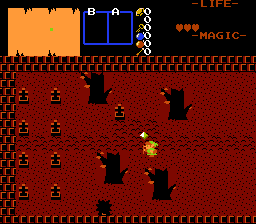
Custom level specific items.

Description Setup Reviews Comments
1. Global script combining: Put UpdateSubscreenLitems() function between Waitdraw and Waitframe comaands inside main loop of Active global script.
2. Set up a sequence of tiles for each custom level specific item: 2 blank tiles and then item`s tile. Animation is not supported.
3. Set IC_LITEM for custom level specific item class. Default is Custom Item Class 5.
4. Import and compile the library. Assign 2 item scripts, global script and 1 FFC script. No libraries beyond std.zh needed.
Item setup
5. Set item class to one assigned in step 3.
6. Set tile to 3rd one in sequence from step 2.
7. Assign LevelItem or MagicLevelItem item script.
D0 - Litem ID. Must be a power of 2, or you will give Link multiple items at once.
D1 - Message string ID.
D2 - ID of tile used by item, from step 6. Scripts cannot access Item`s tile in 2.53 :-(
Subscreen setup
8. Create and place 1x1 tile block with tile assigned to leftmost blank tile from sequence in step 2 and CSet to one used by item.
9. Repeat steps 2 and 5-8 for each custom level specific item to be inclused in the quest.
LevelItem
//Item script that grants level specific items.
//D0 - Litem ID. Must be a power of 2, or you will give Link multiple level specific items at once.
//D1 - Message string ID.
//D2 - ID of tile used by item. Scripts cannot access Item`s tile in 2.53 :-(
MagicLevelItem
//Item script that grants level specific items for all levels.
//D0 - Litem ID. Must be a power of 2, or you will give Link multiple level specific items at once.
//D1 - Message string ID.
//D2 - ID of tile used by item. Scripts cannot access Item`s tile in 2.53 :-(
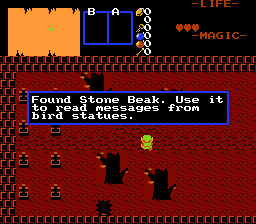
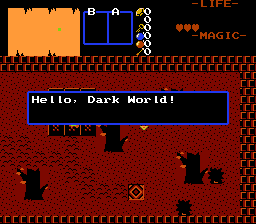
LAHintBirdStatue
//Link`s Awakening bird statue. If Link inserts stone beak from the same level, it displays message.
//Place at bird statue`s location.
//D0 - Message ID.
2. Set up a sequence of tiles for each custom level specific item: 2 blank tiles and then item`s tile. Animation is not supported.
3. Set IC_LITEM for custom level specific item class. Default is Custom Item Class 5.
4. Import and compile the library. Assign 2 item scripts, global script and 1 FFC script. No libraries beyond std.zh needed.
Item setup
5. Set item class to one assigned in step 3.
6. Set tile to 3rd one in sequence from step 2.
7. Assign LevelItem or MagicLevelItem item script.
D0 - Litem ID. Must be a power of 2, or you will give Link multiple items at once.
D1 - Message string ID.
D2 - ID of tile used by item, from step 6. Scripts cannot access Item`s tile in 2.53 :-(
Subscreen setup
8. Create and place 1x1 tile block with tile assigned to leftmost blank tile from sequence in step 2 and CSet to one used by item.
9. Repeat steps 2 and 5-8 for each custom level specific item to be inclused in the quest.
LevelItem
//Item script that grants level specific items.
//D0 - Litem ID. Must be a power of 2, or you will give Link multiple level specific items at once.
//D1 - Message string ID.
//D2 - ID of tile used by item. Scripts cannot access Item`s tile in 2.53 :-(
MagicLevelItem
//Item script that grants level specific items for all levels.
//D0 - Litem ID. Must be a power of 2, or you will give Link multiple level specific items at once.
//D1 - Message string ID.
//D2 - ID of tile used by item. Scripts cannot access Item`s tile in 2.53 :-(
LAHintBirdStatue
//Link`s Awakening bird statue. If Link inserts stone beak from the same level, it displays message.
//Place at bird statue`s location.
//D0 - Message ID.

