
Stack Push Blocks EX 2.5
Overview
Creator:
Alucard648
Updated: 24 May 2024
Tags:
FFC,
Item
Downloads: 44
|
View Script
Download Package (4.52 MB) |

Information
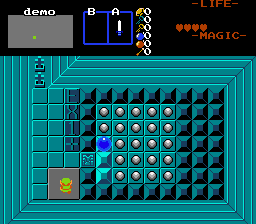
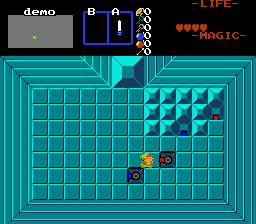
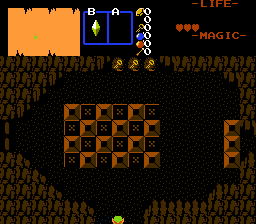
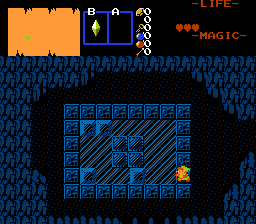
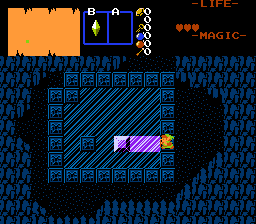
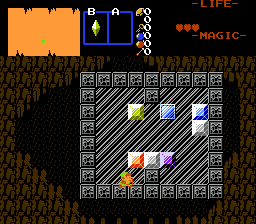
Another FFC pushblock script pack that encompasses variety of common pushblock puzzles, including StackPushing and many more.
Written and tested in ZC 2.53.1 beta 55.
Credits: Colossal, klop422. Update done on request by Skyflare
Written and tested in ZC 2.53.1 beta 55.
Credits: Colossal, klop422. Update done on request by Skyflare



Description Setup Reviews Comments
1. Check out the constants at the top of script file, especially FFC_MISC_* to avoid conflicts with other FFC scripts.
2. import and compile the script. Assign 4 FFC scripts and 1 Item script. No extra libraries beyond default ones.
3. Set IC_MULTIPUSHBLOCK item class items Power to total stack wight limit Link can push ( normal - 0, heavy - 1, very heavy - 2).
4. if you have bracelet placed or hidden on the same screen as scripted push blocks, assign UpdateFreeformBlockPower script to bracelet`s onPickup item script slot. As of v2.4, this step can be skipped.
5. Construct block puzzle as if you did it in ZC 2.53- versions, but use only placed push flags.
- Flag Ice PushBlocks with CF_FFICEBLOCK flags (default is #98)
- The only inherent flag that works is CIF_STACKPUSH_ONLY(default is #99) that restricts blocks to StackPush only. These blocks cannot be pushed directly, only in stack with other blocks.
- Make sure there is enough FFC`s to run the puzzle. Each block is separate FFC + 1 used for handling triggers.
- Block holes (flag#91) change combo to the next one in the list, not to the combo next to combo of block dropped into the hole.
6 Place invisible FFC script anywhere on the screen, assign AutomaticFreeformPushblockPuzzle into it`s script slot.
- D0 - Allow blocks to be pushed off triggers, like in classic Sokoban.
- D1 - Remove all blocks and clean up FFC`s when puzzle is solved.
- D2 - Special Puzzle mode
- 1.Ice Push blocks paint floor into his own Cset. If all combos flagged with CF_BLOCKTRIGGER are painted, secrets pop open.
- 2.Colored blocks and block triggers. Each block trigger must be covered by block with matching CSet to solve the puzzle. If D0 is set to 0, blocks can get stuck on mismatching triggers, failing the puzzle.
- 3. Pushblocks change to next combo in the list after every push.
- D3 - 1 - Always leave udercombos behind
7. Test, enjoy, report bugs...
Remote controlled pushblocks - Place FFC at control panel location. No arguments needed.
Icy Hamiltonian puzzle:
1. Set up 2 consecutive combos. 1 for puzzle space and 1 solid combo for replacement
2. Build puzzle area using 1st combo from step 1. Flag all those combos with BlockTrigger flags.
3. Set screen`s under combo to second combo from step 2.
4. Place FFC with PlaceableIceblock script anywhere in the screen.
D0 - ID of Iceblock combo
D1 - CSet of Iceblock combo
D2 - sound to play on placement
Match 2 puzzle: Place anywhere in the screen. No arguments needed.
You may also open unpassworded demo quest to see, how various puzzles are technically set up.
2. import and compile the script. Assign 4 FFC scripts and 1 Item script. No extra libraries beyond default ones.
3. Set IC_MULTIPUSHBLOCK item class items Power to total stack wight limit Link can push ( normal - 0, heavy - 1, very heavy - 2).
4. if you have bracelet placed or hidden on the same screen as scripted push blocks, assign UpdateFreeformBlockPower script to bracelet`s onPickup item script slot. As of v2.4, this step can be skipped.
5. Construct block puzzle as if you did it in ZC 2.53- versions, but use only placed push flags.
- Flag Ice PushBlocks with CF_FFICEBLOCK flags (default is #98)
- The only inherent flag that works is CIF_STACKPUSH_ONLY(default is #99) that restricts blocks to StackPush only. These blocks cannot be pushed directly, only in stack with other blocks.
- Make sure there is enough FFC`s to run the puzzle. Each block is separate FFC + 1 used for handling triggers.
- Block holes (flag#91) change combo to the next one in the list, not to the combo next to combo of block dropped into the hole.
6 Place invisible FFC script anywhere on the screen, assign AutomaticFreeformPushblockPuzzle into it`s script slot.
- D0 - Allow blocks to be pushed off triggers, like in classic Sokoban.
- D1 - Remove all blocks and clean up FFC`s when puzzle is solved.
- D2 - Special Puzzle mode
- 1.Ice Push blocks paint floor into his own Cset. If all combos flagged with CF_BLOCKTRIGGER are painted, secrets pop open.
- 2.Colored blocks and block triggers. Each block trigger must be covered by block with matching CSet to solve the puzzle. If D0 is set to 0, blocks can get stuck on mismatching triggers, failing the puzzle.
- 3. Pushblocks change to next combo in the list after every push.
- D3 - 1 - Always leave udercombos behind
7. Test, enjoy, report bugs...
Remote controlled pushblocks - Place FFC at control panel location. No arguments needed.
Icy Hamiltonian puzzle:
1. Set up 2 consecutive combos. 1 for puzzle space and 1 solid combo for replacement
2. Build puzzle area using 1st combo from step 1. Flag all those combos with BlockTrigger flags.
3. Set screen`s under combo to second combo from step 2.
4. Place FFC with PlaceableIceblock script anywhere in the screen.
D0 - ID of Iceblock combo
D1 - CSet of Iceblock combo
D2 - sound to play on placement
Match 2 puzzle: Place anywhere in the screen. No arguments needed.
You may also open unpassworded demo quest to see, how various puzzles are technically set up.

