- Current Location:
- PureZC
- » PureZC Forums
- » Scripts
- » Mani Weapons
Mani Weapons
Overview
Creator:
Mani Kanina
Updated: 27 Jul 2021
Tags:
FFC,
Weapon,
Item
Downloads: 44
|
View Script
Download Package (1.56 MB) |

Information
A new set of weapons for usage in your ZC quests.
Some of these are being ported forward into a more modern 2.55 format in my script header. You can find that here: Click Me!
Some of these are being ported forward into a more modern 2.55 format in my script header. You can find that here: Click Me!

Description Setup Reviews Comments
This is a collection of weapon scripts that I made for one of my quests but refined to be released for public use. I might expand this later if I ever make any more weapon scripts.
Some of these are being ported forward into a more modern 2.55 format in my script header. You can find that here: Click Me!
This collection currently contains:
Sword: 180 Degree melee swing in front of you.
Spear: An 8 directional melee weapon.
WaveGun: A projectile shooting weapon that moves in a wave pattern.
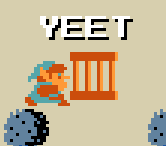
Yeet: Throw a projectile in a straight line in front of you.
SmartBomb: A screen nuke option.
DashAttack: Move in a straight line forwards at greater speed and ram enemies for light damage.
CrossBow: Rapid fire bow weapon, damage and projectile appearance scales with Arrow item, also has a low damage backup option if you're out of arrows to shoot.
Update 2:
Bug fixes and allowing the dash attack to cost maigc to use.
Update 1:
Added a 180 Degree sword weapon, something I have wanted and I'm sure others too.
---------------------------------
Scripters considerations:
The wavegun script is quite FFC heavy and will use one FFC per projectile you shoot and will remain in action till the projectile dies or goes off screen, this can end up using some 4-7 FFCs on the same time.
Sword charging is local to the FFC and will not persist past a given screen. FFC carryover is commented out but can be enabled, is likely not ideal in most quests though given how it eats FFCs by ID.
Some of these are being ported forward into a more modern 2.55 format in my script header. You can find that here: Click Me!
This collection currently contains:
Sword: 180 Degree melee swing in front of you.
Spear: An 8 directional melee weapon.
WaveGun: A projectile shooting weapon that moves in a wave pattern.
Yeet: Throw a projectile in a straight line in front of you.
SmartBomb: A screen nuke option.
DashAttack: Move in a straight line forwards at greater speed and ram enemies for light damage.
CrossBow: Rapid fire bow weapon, damage and projectile appearance scales with Arrow item, also has a low damage backup option if you're out of arrows to shoot.
Update 2:
Bug fixes and allowing the dash attack to cost maigc to use.
Update 1:
Added a 180 Degree sword weapon, something I have wanted and I'm sure others too.
---------------------------------
Scripters considerations:
The wavegun script is quite FFC heavy and will use one FFC per projectile you shoot and will remain in action till the projectile dies or goes off screen, this can end up using some 4-7 FFCs on the same time.
Sword charging is local to the FFC and will not persist past a given screen. FFC carryover is commented out but can be enabled, is likely not ideal in most quests though given how it eats FFCs by ID.
Requires import std.zh & ffcscript.zh in order to run.
Step 1:
The file contains a few constants you might want to tweak:
WaveBeamSlot: What FFC script slot the WaveBeamFFC is stored at.
BlankSprite: This should be a sprite that is blank. You need to set this up manually so the sprite is over empty tiles in the tile page.
CROSSBOW_BU_SPRITE: Crossbow's sprite that it will use when out of ammo.
DO_THE_YEET: Use Yeet text on yeet item. Set to 0 to turn off.
MW_YEET_COMBOS: First of four combos used when Link holds up the yeet item before throwing: (Up, Down, Left, Right)
WAVEGUN_PROJ: Wavegun projectile sprite The sprite itself should be the last of 3 horizontal tiles, which one is used is random.
MW_SPINATTACK_SFX: Spin attack SFX for the sword.
MW_SWORD_CHARGE: Spin attack Charge time for the sword.
Step 2:
Set up the item scripts FFCWeaponLauncher and FFCWeaponLauncherNoMulti.
You need either on or the other on the item you want to run these weapons, the latter prevents you from having multiple instances of it running on the same time. In most scenarios this is the most ideal option and it's recommended you use that first. Multiple FFCs running is not the same thing as multiple projectiles on screen, since the FFCs generally terminate long before the projectile.
Step 3:
Assign all the FFC scripts to various slots, then write down the slot numbers you put them on, this will be needed later.
Step 4:
Configure the items, see further down for appropriate input for each weapon script.
Sword:
D0: Damage
D1: Sprite used, should be the first of two horizontal tiles pointy end facing right. Tip should be at the very end of the second tile.
D2: The current item you're configuring's item ID.
D3: Spin attack enabler, set to a number bigger than 0 if you want the sword to be able to charge.
D4: Range in abstract. 6-8 is good for single tile sword. 14-16 is good for one and a half tile long swords. Smaller number makes the weapon closer to Link.
D5: SFX that plays for normal swings.
D6: Unused.
D7: FFC slot the weapon script is in.
Spear:
D0: Damage.
D1: Sprite used, sprite should be the first of two horizontal tiles and have the pointy end facing right.
D2: The current item you're configuring's item ID.
D3: Unused. (has extra code if you want to script your own charge moves, see script file)
D4: Unused.
D5: SFX to play when stabbing.
D6: Unused.
D7: FFC slot the weapon script is in.
WaveGun:
D0: Damage.
D1: Sprite used for the "gun". It should be first in a line of four tiles facing four directions: Up, Down, Left, Right.
D2: The current item you're configuring's item ID..
D3: Unused.
D4: Reach, this needs to be set to 1 or the item will look glitchy.
D5: SFX.
D6: Unused.
D7: FFC slot the weapon script is in.
Yeet:
D0: Damage.
D1: Sprite used.
D2: The current item you're configuring's item ID..
D3: Unused.
D4: Unused.
D5: SFX.
D6: Unused.
D7: FFC slot the weapon script is in.
SmartBomb:
D0: Damage, both used for the smart damage and the 8 projectiles.
D1: Sprite used for the projectiles. Tile for the sprite should be the last of three in a row, and it will pick which one it uses randomly.
D2: The current item you're configuring's item ID..
D3: Unused.
D4: Unused.
D5: Unused.
D6: SFX.
D7: FFC slot the weapon script is in.
DashAttack:
D0: Damage.
D1: Sprite used for dust cloud.
D2: The current item you're configuring's item ID..
D3: SFX. This is on loop every few frames while you run.
D4: Magic cost to use, if any. (Set to 0 for it to be free).
D5: Unused.
D6: Unused.
D7: FFC slot the weapon script is in.
CrossBow:
D0: Damage. This is the base damage when you got no Arrow item, a multiplier is applied depending on your Arrow item: Wood: 2x, Silver: 3x, Gold: 4x. If you're out of arrow ammunition you will instead use the base damage / 2.
D1: Sprite used by the crossbow, it should be the first tile out of four facing: Up, down, left, right.
D2: The current item you're configuring's item ID..
D3: Sprite use for the default arrow. This will be overwritten by the regular arrow types sprite if you have an Arrow item.
D4: Unused.
D5: SFX used when you have no arrow ammo. In standard cases SFX 1 will be used. (This is the standard arrow shooting SFX).
D6: Unused.
D7: FFC slot the weapon script is in.
Step 1:
The file contains a few constants you might want to tweak:
WaveBeamSlot: What FFC script slot the WaveBeamFFC is stored at.
BlankSprite: This should be a sprite that is blank. You need to set this up manually so the sprite is over empty tiles in the tile page.
CROSSBOW_BU_SPRITE: Crossbow's sprite that it will use when out of ammo.
DO_THE_YEET: Use Yeet text on yeet item. Set to 0 to turn off.
MW_YEET_COMBOS: First of four combos used when Link holds up the yeet item before throwing: (Up, Down, Left, Right)
WAVEGUN_PROJ: Wavegun projectile sprite The sprite itself should be the last of 3 horizontal tiles, which one is used is random.
MW_SPINATTACK_SFX: Spin attack SFX for the sword.
MW_SWORD_CHARGE: Spin attack Charge time for the sword.
Step 2:
Set up the item scripts FFCWeaponLauncher and FFCWeaponLauncherNoMulti.
You need either on or the other on the item you want to run these weapons, the latter prevents you from having multiple instances of it running on the same time. In most scenarios this is the most ideal option and it's recommended you use that first. Multiple FFCs running is not the same thing as multiple projectiles on screen, since the FFCs generally terminate long before the projectile.
Step 3:
Assign all the FFC scripts to various slots, then write down the slot numbers you put them on, this will be needed later.
Step 4:
Configure the items, see further down for appropriate input for each weapon script.
Sword:
D0: Damage
D1: Sprite used, should be the first of two horizontal tiles pointy end facing right. Tip should be at the very end of the second tile.
D2: The current item you're configuring's item ID.
D3: Spin attack enabler, set to a number bigger than 0 if you want the sword to be able to charge.
D4: Range in abstract. 6-8 is good for single tile sword. 14-16 is good for one and a half tile long swords. Smaller number makes the weapon closer to Link.
D5: SFX that plays for normal swings.
D6: Unused.
D7: FFC slot the weapon script is in.
Spear:
D0: Damage.
D1: Sprite used, sprite should be the first of two horizontal tiles and have the pointy end facing right.
D2: The current item you're configuring's item ID.
D3: Unused. (has extra code if you want to script your own charge moves, see script file)
D4: Unused.
D5: SFX to play when stabbing.
D6: Unused.
D7: FFC slot the weapon script is in.
WaveGun:
D0: Damage.
D1: Sprite used for the "gun". It should be first in a line of four tiles facing four directions: Up, Down, Left, Right.
D2: The current item you're configuring's item ID..
D3: Unused.
D4: Reach, this needs to be set to 1 or the item will look glitchy.
D5: SFX.
D6: Unused.
D7: FFC slot the weapon script is in.
Yeet:
D0: Damage.
D1: Sprite used.
D2: The current item you're configuring's item ID..
D3: Unused.
D4: Unused.
D5: SFX.
D6: Unused.
D7: FFC slot the weapon script is in.
SmartBomb:
D0: Damage, both used for the smart damage and the 8 projectiles.
D1: Sprite used for the projectiles. Tile for the sprite should be the last of three in a row, and it will pick which one it uses randomly.
D2: The current item you're configuring's item ID..
D3: Unused.
D4: Unused.
D5: Unused.
D6: SFX.
D7: FFC slot the weapon script is in.
DashAttack:
D0: Damage.
D1: Sprite used for dust cloud.
D2: The current item you're configuring's item ID..
D3: SFX. This is on loop every few frames while you run.
D4: Magic cost to use, if any. (Set to 0 for it to be free).
D5: Unused.
D6: Unused.
D7: FFC slot the weapon script is in.
CrossBow:
D0: Damage. This is the base damage when you got no Arrow item, a multiplier is applied depending on your Arrow item: Wood: 2x, Silver: 3x, Gold: 4x. If you're out of arrow ammunition you will instead use the base damage / 2.
D1: Sprite used by the crossbow, it should be the first tile out of four facing: Up, down, left, right.
D2: The current item you're configuring's item ID..
D3: Sprite use for the default arrow. This will be overwritten by the regular arrow types sprite if you have an Arrow item.
D4: Unused.
D5: SFX used when you have no arrow ammo. In standard cases SFX 1 will be used. (This is the standard arrow shooting SFX).
D6: Unused.
D7: FFC slot the weapon script is in.
No reviews found!