Multiple Lock Blocks
Overview
Creator:
Moosh
Added: 15 Feb 2018
Tags:
FFC
Downloads: 36
|
View Script
Download Example (863.69 KB) |

Information
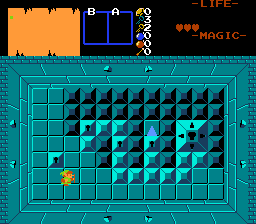
Lets you place FFC lock blocks on the screen that can also open copycat secrets. You can have up to 128 (32, thanks FFC cap) on one screen, not that you'd ever need that many.
Description Setup Reviews Comments
First, set the SFX_FFCLOCKBLOCK constant to the sound you want to play when a lock block is unlocked.
Place down your lock blocks and copycat blocks as solid combos with the type (None). The next combo in the list after the lock block will be the opened state. Place the FFC with this script over the lock block combo with the Run Script At Screen Init flag checked. If the lock block is bigger than one tile, you can set Tile W and Tile H on the FFC to the size of the lock block.
Set the FFC's arguments as follows:
Place down your lock blocks and copycat blocks as solid combos with the type (None). The next combo in the list after the lock block will be the opened state. Place the FFC with this script over the lock block combo with the Run Script At Screen Init flag checked. If the lock block is bigger than one tile, you can set Tile W and Tile H on the FFC to the size of the lock block.
Set the FFC's arguments as follows:
- D0: This is a number from 0 to 127 used to track the state of the lock block. Each lock block with this script should have a unique D0 value, or else they'll both lower when you leave and re-enter the screen. This uses Screen->D values so be sure you carefully test that it doesn't interfere with another script that uses Screen->D. Setting this to 0-15 will use D[0], 16-31 will use D[1], 32-47 will use D[2], ect.
- D1: This is the flag used to mark any copycat combos for the lock block. If it's 0, no copycat will be used. Otherwise all combos with this flag on layer 0 will advance by 1 when the lock block is unlocked.
- D2: Set this to the type of lock block. 0 = Normal, 1 = Boss Lock, 2 = Special Counter, 3 = Item
- If Special Counter Lock
- D3: The counter type used by the lock block. See CR_ in std_constants.zh.
- D4: The required counter amount
- If Item Lock
- D3: The item ID to check for.
- D4: Set to 1 if the lock block should take away the item