
Custom Lens Hints
Overview
Creator:
Alucard648
Added: 05 Jul 2016
Tags:
FFC,
Global
|
View Script |

Information
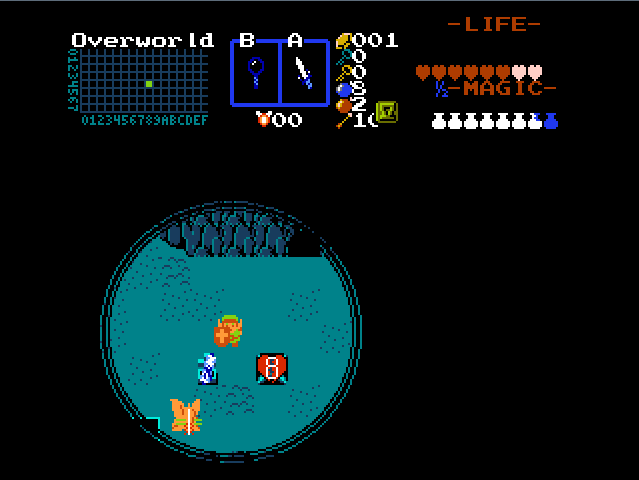
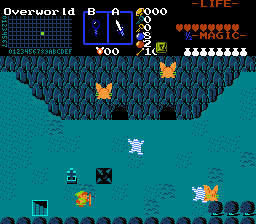
This script allows designer to create customizable hints to be revealed, when Link uses Lens of Truth.
Description Setup Reviews Comments
Requires stdExtra.zh and all it`s dependencies.
Global lens hints.
1. Global script combining: put DrawCustomLensHints after Waitdraw and before Waitframe in the main loop of global active script.
2.Global function set up: Put DrawCustomLensHint in DrawCustomLensHints function for each lens hint in your quest and configure it`s arguments:
//Lenstype: 0-combo type, 1-combo flag, 2 - NPC.
//miscvalue1: depends on lenstype:
// 0 - combo type ID
// 1 - combo flag ID
// 2 - NPC ID
//cmb - combo to draw, cset - cset to use for hint drawing
//minlevel - minimum item level for Lens-like item needed to be used to reveal this hint.
3. Put DrawFFCLensHint into DrawCustomLensHints function for each FFC lens hint and set up it`s arguments
// scr - FFC script to check
// dreg - D register to check 0-7.
// dvalue - value to compare the given D register. Hint is drawn on match.
// cmb - ID of combo to draw
// cset - Cset touse for drawing
// minimum item level for Lens-like item needed to be used to reveal this hint.
4. Import and compile the script. Assign CustomLensHints FFC script slot
//Screen-scpecific FFC based lens hints
5. Place an empty FFC anyhere in the screen
6. Assign invisible combo (non-0) to it.
7.
//D0 - Lenstype: 0-combo type, 1-combo flag, 2 - NPC.
//D1: depends on lenstype:
// 0 - combo type ID
// 1 - combo flag ID
// 2 - NPC ID
//D2 - combo to draw,
//D3 - cset to use for hint drawing
//D4 - minimum item level for Lens-like item needed to be used to reveal this hint.
8. Assign CustomLensHints script to this FFC.
Global lens hints.
1. Global script combining: put DrawCustomLensHints after Waitdraw and before Waitframe in the main loop of global active script.
2.Global function set up: Put DrawCustomLensHint in DrawCustomLensHints function for each lens hint in your quest and configure it`s arguments:
//Lenstype: 0-combo type, 1-combo flag, 2 - NPC.
//miscvalue1: depends on lenstype:
// 0 - combo type ID
// 1 - combo flag ID
// 2 - NPC ID
//cmb - combo to draw, cset - cset to use for hint drawing
//minlevel - minimum item level for Lens-like item needed to be used to reveal this hint.
3. Put DrawFFCLensHint into DrawCustomLensHints function for each FFC lens hint and set up it`s arguments
// scr - FFC script to check
// dreg - D register to check 0-7.
// dvalue - value to compare the given D register. Hint is drawn on match.
// cmb - ID of combo to draw
// cset - Cset touse for drawing
// minimum item level for Lens-like item needed to be used to reveal this hint.
4. Import and compile the script. Assign CustomLensHints FFC script slot
//Screen-scpecific FFC based lens hints
5. Place an empty FFC anyhere in the screen
6. Assign invisible combo (non-0) to it.
7.
//D0 - Lenstype: 0-combo type, 1-combo flag, 2 - NPC.
//D1: depends on lenstype:
// 0 - combo type ID
// 1 - combo flag ID
// 2 - NPC ID
//D2 - combo to draw,
//D3 - cset to use for hint drawing
//D4 - minimum item level for Lens-like item needed to be used to reveal this hint.
8. Assign CustomLensHints script to this FFC.

