

I have ''GhostZHActiveScript for the platforms scriptd but the pitlava scripts that is the ''Active'' and another name script ? then i should put it on
''Active'' slot but that take a damage to Link when i start the quest and the ''GhostZHActiveScript'' i used it especially for custom bosses that required Ghost.zh.
So what i shall do ?
Pit Fall Package
Overview
Creator:
cavthena
Added: 25 Dec 2015
Tags:
FFC,
Global
|
View Script |
Information
Allows for Pits, Lava, Moving Platforms and Shutter Doors in ZC.
Description Setup Reviews Comments
Required Libraries:
Required Weapons: 2
Required SFX: 2
Set-up:
Platfrom Setup:
- std.zh
- stdExtra.zh
Required Weapons: 2
Required SFX: 2
Set-up:
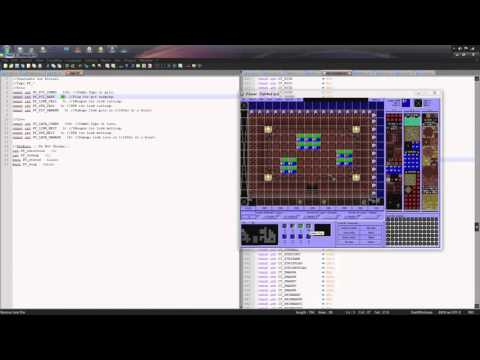
- Set up the LWeapons for Link falling and Link Melting. Each Sprite can be of any animation length.
- Set up Constants.
- Set up "PF_Drawing()" function. Place functions that need to be drawn while Link is falling or melting within this function. Note: Avoid placing Waitframe functions inside PF_Drawing(). This will cause a error in the animation and warp timing.
- Add the code to your Global and place "PitFall();" in your global loop before Waitdraw().
- Set up your Combos. Combo Type needs to match PF_PIT_COMBO and PF_LAVA_COMBO for Pits and Lava respectively. Combo Flag should be set to "97 No Ground Enemies", to prevent ground enemies from walking on them.
Platfrom Setup:
- Set the constants found at the start of the FFC. Then compile into your game.
- Place the platform FFC at the location of the platform or changer.
- Set the arguments appropriately.
- Place the FFC anywhere and set the arguments as required.