


For anyone planning to use this:
This FFC has been entirely outmoded by a simple, easy to use, global function in RPG.zh v0.97 and higher, that automatically handles this with key items.
I advise using that, instead.
Z3-esque Keys (and Item Pickup)
Overview
Creator:
Timelord
Added: 11 May 2014
Tags:
FFC,
Global
Downloads: 31
|
View Script
Download Example (863.98 KB) |
Information
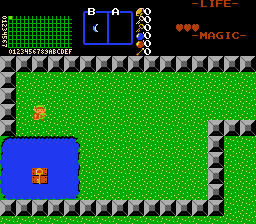
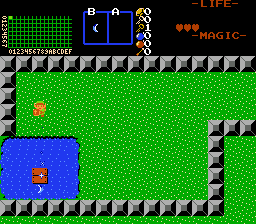
Pick up keys, or qustmaker-specified items using the booerang, hookshot (or any two specified items per FFC), without enabling 'Z3 Boomerang/Hookshot' in Quest Rules.
Note: RPG.zh/RPG_Items.zlib (see my signature) has global functions ( BrangKey() and others) that do this without needing FFCs. Please use those instead.
Note: RPG.zh/RPG_Items.zlib (see my signature) has global functions ( BrangKey() and others) that do this without needing FFCs. Please use those instead.
Description Setup Reviews Comments
If You Have an Existing Script Set
D0: Set to the Item Class of the primary item that you want to be able to pick up the item generated by the FFC, using the numeric values from std_constants.zh. (Using specific items is planned for a later update.) The default value for the boomerang, is '1'.
D1: Set to the Item Class of the secondary item that you want to be able to pick up the item generated by the FFC, using the numeric values from std_constants.zh. (Using specific items is planned for a later update.) The default value for the hookshot is '21'.
Note: If you do not wish to use a secondary item, set this to '0'.
D2: If you wish to give the player a normal key, leave this at '0'.
If you want to give the player a level-specific key, set this to a value of '1'.
If you want to give the player a specific item, set this to a negative number, equal to the item editor number.
(Thus, for the blue ring, item 17, you would enter '-17' as the value of this argument.
D3: Set this to the audio/SFX Data value to play when picking u the item.
The Default value for 'Item Pickup' is 22.
You're done!. Position the FFC on the screen, as you desire.
Note: This is tested for one instance per screen, and secondary instances per screen may not work. I may allow for additional instances, in a future update.
All argument information is also contained in the script file, which is commented so that you may more easily follow its operation.
- Add the global constants, global variables, and global functions to your existing script.
- Add the FFC script to your existing scripts.
- Place the global functions in your main active while loop, before Waitdraw().
- Compile.
- Assign the FFC script 'Z3_Key_Pickup' into an FFC Script slot.
- Import this file as your main script, and compile it. (It is a self-contained, and complete set-up.)
- Assign the FFC script 'Z3_Key_Pickup' into an FFC Script slot.
- Assign the included Global Active script to your Global Active Script Slot (2).
- Add the combo used for the item that you want the player to obtain, to your combo pages.
- Create an FFC, and set the combo for the item to it, as you wish the player to see it.
- Enable the script 'Z3_Key_Pickup' to the FFC as its active script.
- Enable the FFC Flag: 'Run Script on Screen init'
D0: Set to the Item Class of the primary item that you want to be able to pick up the item generated by the FFC, using the numeric values from std_constants.zh. (Using specific items is planned for a later update.) The default value for the boomerang, is '1'.
D1: Set to the Item Class of the secondary item that you want to be able to pick up the item generated by the FFC, using the numeric values from std_constants.zh. (Using specific items is planned for a later update.) The default value for the hookshot is '21'.
Note: If you do not wish to use a secondary item, set this to '0'.
D2: If you wish to give the player a normal key, leave this at '0'.
If you want to give the player a level-specific key, set this to a value of '1'.
If you want to give the player a specific item, set this to a negative number, equal to the item editor number.
(Thus, for the blue ring, item 17, you would enter '-17' as the value of this argument.
D3: Set this to the audio/SFX Data value to play when picking u the item.
The Default value for 'Item Pickup' is 22.
You're done!. Position the FFC on the screen, as you desire.
Note: This is tested for one instance per screen, and secondary instances per screen may not work. I may allow for additional instances, in a future update.
All argument information is also contained in the script file, which is commented so that you may more easily follow its operation.

