
how do i upload a video for my project?
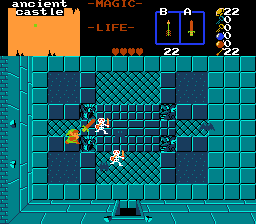
link's legends pt 2
Created by
lincolnpepper

how to upload video?
Started by
lincolnpepper
, Jun 08 2016 03:18 PM
-
 This topic is locked
1 reply to this topic
#1

lincolnpepper
-

- Members
-

epic gamer
- Real Name:Lincoln
- Location:null island
Posted 08 June 2016 - 03:18 PM
#2
David
-

- Administrators
-

Fallen leaves... adorn my night.
- Real Name:David
- Pronouns:He / Him
Posted 08 June 2016 - 11:11 PM
Go to the gear icon at the top right of your quest project page and click "Edit Project". Then, find the entry field for "YouTube Video" and post the link of the YouTube video you want displayed. Finally, press "Submit Changes" at the bottom of that page. If the link is valid, the video should show up! Hope this helped. 
- Eddy, TK8305 and lincolnpepper like this
1 user(s) are reading this topic
0 members, 1 guests, 0 anonymous users

