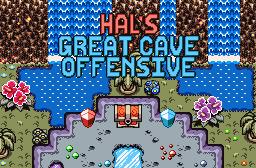





Remember this map screen teaser that I put up in the screenshot thread? Well, after 6 weeks of juggling this project between university demands, ZURPG and other shenanigans, I am glad to bring this update to you all.
This here is the map screen, and the first screen you meet whenever you open up the scripted subscreen. In order to access the map screen, you simply need to press the Map Key during general gameplay; except during strings and cutscenes which it won't bring the map up. This map screen spans the whole of the underground map, which is filled out as the player explores each screen. Each of the elements on the map screen (excluding the locked doors, which are the small red and green squares on the map) can be toggled on and off as you wish, in case they obstruct the map, preventing you from seeing details on some screens.
In order to access other tabs of the scripted subscreen, you simply have to move the cursor over to each tab.
This is the Data screen, where you can check out information pertaining each weapon and item Hal has obtained in the quest as well as the capacity of each storage type. This mainly serves to help you know what each item does if you return to the quest after taking a long break from it and/or to let people know what each weapon and item does if they skip the descriptions given on each item pickup string.
This is the Options screen, where you can change various settings that the game uses for features. Hate continuous Low Health Warning? Turning it off in ZC isn't going to do a thing since this quest uses custom Low Health Warning mechanics, so I gave you the option to disable that in the quest. Hate the "Invincible Link Flickers" and the "Enemies Flicker When Hurt" quest rules? They are turned on in this quest, so I am giving you the option to draw a marker over them when they are hurt so you won't lose track of them. Want a load of the fancy debuff effects that the quest draws whenever Hal is afflicted with a debuff? You can toggle them on and off here.
And, this is all for the scripted subscreen in this update. Before I go, I would like to share a random screenshot of a familiar area because wynaut:

Edited by Orithan, 18 May 2016 - 06:01 AM.