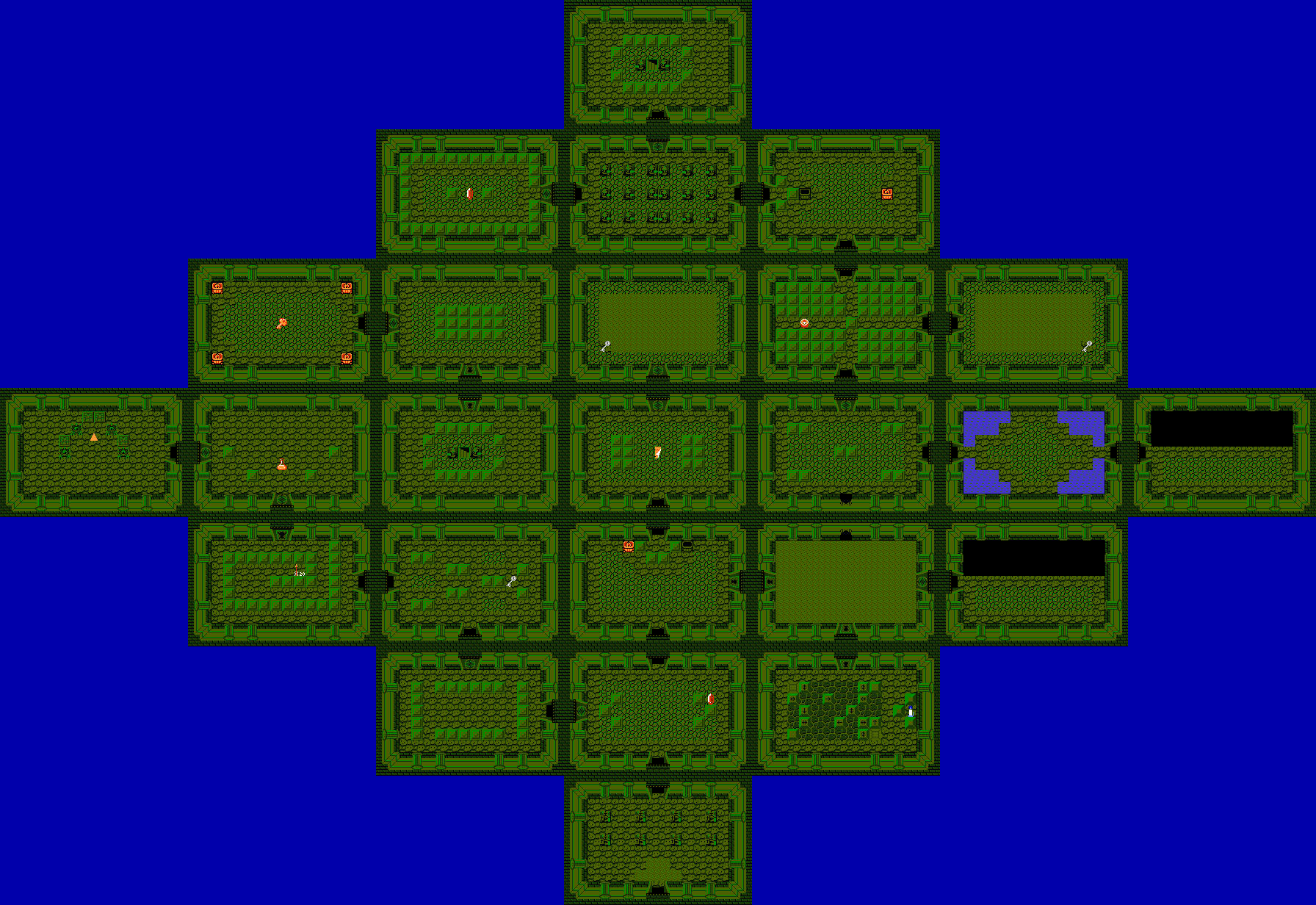
I'm re-organizing everything in my quest so that it'll be easier to work on. I'm cutting DMaps into more organized sections so that I can use the LttP Map System script, sorting strings into a more manageable sequence so that plot and gameplay messages are separated, and fixing my palettes so that I can actually find the colors I need when making tiles. As a side-effect of tweaking my palettes and evening out the gradients, my maps are getting a bit of a makeover as well. The new colors look a bit nicer in my opinion, and I found a couple minor details that were messed up in the original versions. Here's a comparison shot:
(Left = Old Version, Right = New Version)

The way my palette should work now is that each major color (Brown, Grey, Green, and Blue)has 8 shades. (Minor colors such as Yellow and Purple have only 4 shades.) The lightest four are more high-saturation and used for sprites, while the darker four are low-saturation and used for environments. However, the gradients themselves blend together entirely, so that if I need to pull an extra shade in for a particularly detailed tile or sprite, I can do so much more easily. The way the palettes are set up now, if a particular gradient doesn't work well, I can tweak it in minutes instead of everything being set in stone due to me having no idea what I was doing when I first started.
Edited by kurt91, 01 June 2014 - 04:28 AM.