
(with older subscreen)

(with newer subscreen)



Playing With Psychos

Posted 23 April 2013 - 10:19 PM
Everything must go away


Posted 23 April 2013 - 10:26 PM
Touch Fluffy Tail


Posted 24 April 2013 - 01:43 PM

Edited by LordVolcanon, 24 April 2013 - 02:48 PM.
Sometimes lurking. Rarely posting.

Posted 24 April 2013 - 01:55 PM
Deified

Posted 24 April 2013 - 02:32 PM

goopy

Posted 24 April 2013 - 03:09 PM
I am seriously diggin' the palette in this shot. It looks a lot more like the official Zelda GB Palettes than the ones in regular EZGBZ.Nice screens, duck!
Here is more from me:

Trofessional Pransposer

Posted 24 April 2013 - 03:24 PM
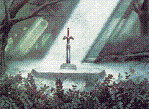
I'm not sure how I feel about the grassy wall things merging into the cliffs on the right, but the palette is spot-on and the screen is nice and open.Oh you edited this. Well, I also remade it, just to give some ideas how to use the tileset in a more Nintendo-esque fashion. I hope you don't mind.
Deified
Posted 24 April 2013 - 04:07 PM
 Thanks! I am pretty fond of the palettes myself, too.
Touch Fluffy Tail
Posted 24 April 2013 - 05:19 PM
Oh you edited this. Well, I also remade it, just to give some ideas how to use the tileset in a more Nintendo-esque fashion. I hope you don't mind.
Legend


Posted 24 April 2013 - 07:01 PM
Both look pretty good, no complaints from me.Here's some random jank from Pure Quest 2
(with older subscreen)
(with newer subscreen)

Eh... the color of everything is blinding hell out of my eyes. But overall screen design is alright... Well the right side looks awfully out of place.
Now that hows a GB screen should look, nicely done Sheik.Oh you edited this. Well, I also remade it, just to give some ideas how to use the tileset in a more Nintendo-esque fashion. I hope you don't mind.
Deified
Posted 25 April 2013 - 01:20 AM
Yeah, I was too lazy to look for the palette so I've simply used the one that is default in my quest file. I use layer 0 to make the grass detail as the proper grass tiles sadly are missing in the EZGBZ tileset. If you are looking for new EZGBZ palettes check out this place!Some of the tiles you used here as well as the palette I cannot seem to find in EZGBZ 2.50. Did you make them yourself?
Deified

Posted 25 April 2013 - 10:27 AM


Caelan, the Encouraging


Posted 25 April 2013 - 04:46 PM
Actually, there aren't any image size limits anymore. The new forum software will automatically resize them if their too big, and show a full sized version if you click on the image.I am not certain on which image sizes are considered acceptable, I can resize them if need be. So somebody please let me know and I'll resize them to a more appropriate size.
0 members, 0 guests, 0 anonymous users



