
Wonderful work and being so simple and retro I'm speechless. You sure do always inspire me. Colors are spot on.

A Sprite A Day Keeps the Rust Away.
Started by
Koh
, Jan 10 2014 04:29 PM
512 replies to this topic
#422

Koh
-

- Members
-

Tamer Koh
- Real Name:Dominic
- Location:Monsbaiya, Virginia
Posted 30 November 2014 - 09:34 PM
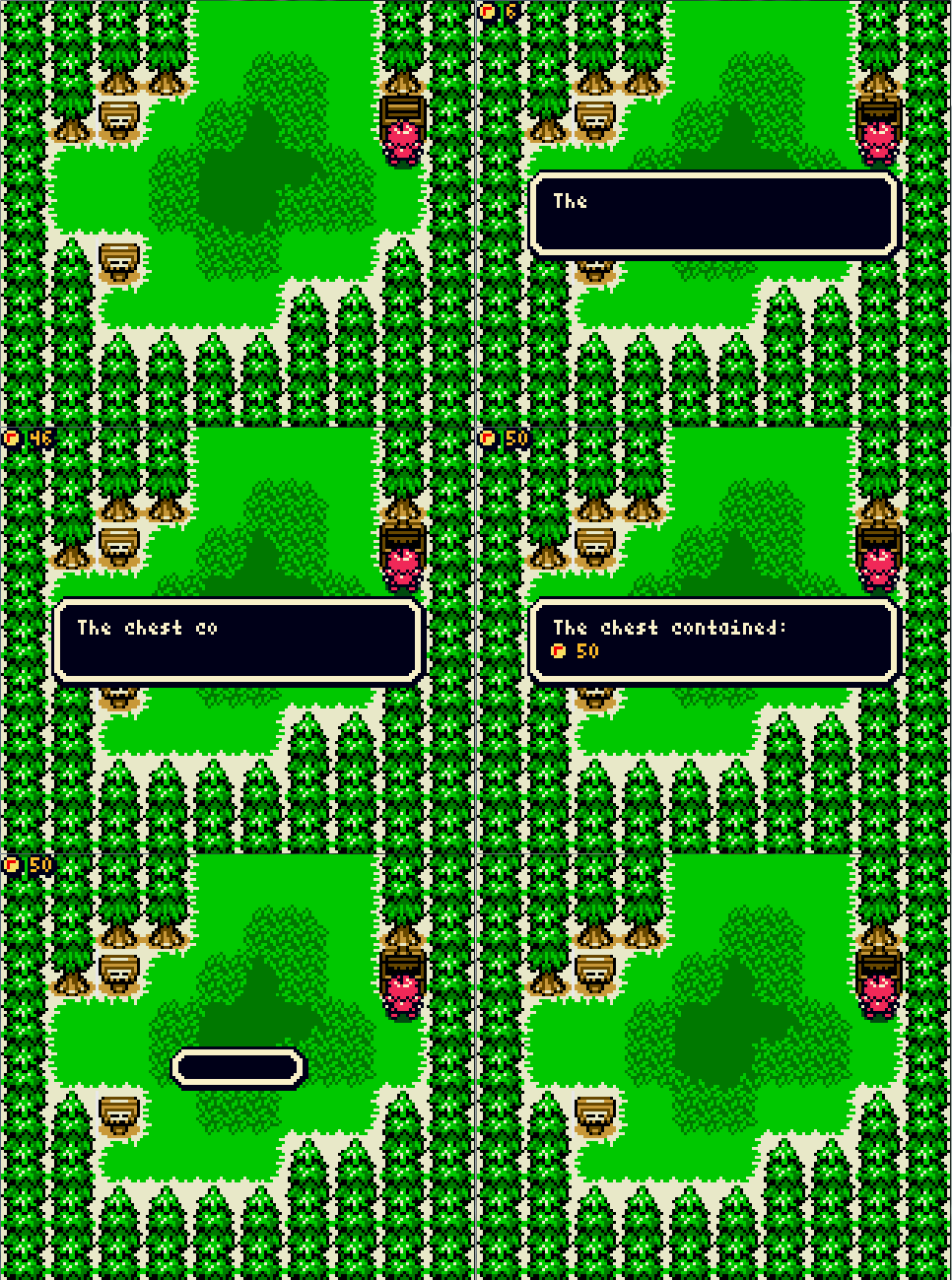
Thanks, much appreciated. I just implemented treasure chests. At least, the money based ones. The inventory system isn't setup yet.
- Embc93, Astromeow and HavoX like this
#423
Haylee
-

- Contributors
-

~ I will spread my wings ~
- Real Name:Haylee
- Pronouns:She / Her
- Location:Filgaia
Posted 01 December 2014 - 12:31 AM
Sonic Boom Sonic Boom Sonic Boooooom

- Russ, Shane and Jared like this
#424
Koh
-
- Members
-
Tamer Koh
- Real Name:Dominic
- Location:Monsbaiya, Virginia
Posted 01 December 2014 - 06:41 PM
This is Knuckles, right? Looks pretty good...only suggestion I have is that his legs look too thick for him compared to his model. Also, his hair could be shaped a bit more.
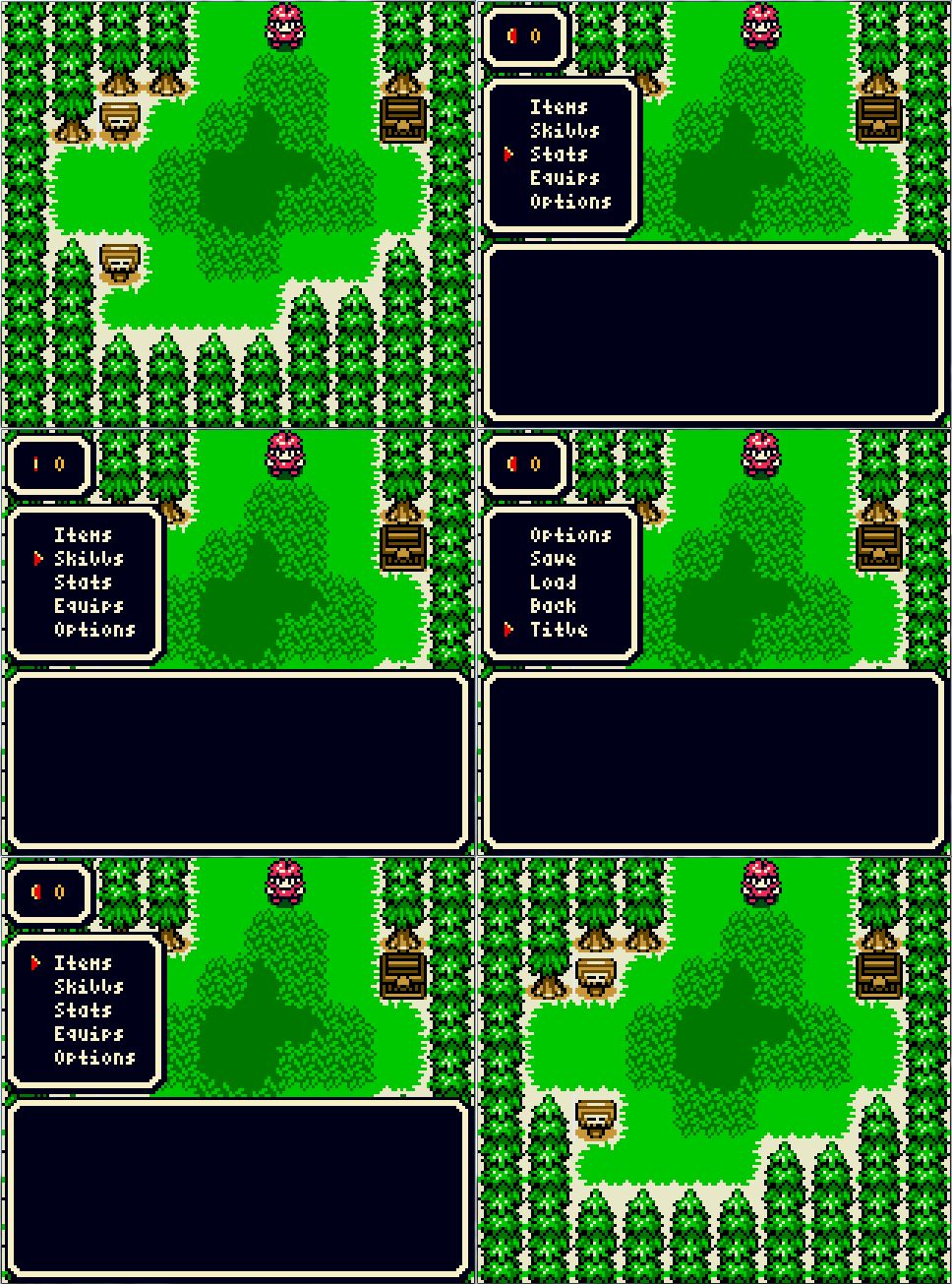
Here's the progress made today...
- Shane, Jared, Astromeow and 1 other like this
#425
Shane
-

- Members
-
🤍
Posted 02 December 2014 - 01:44 AM
Sonic Boom Sonic Boom Sonic Boooooom
It's so bad it's good.
Koh, I admire your 8-bit work. I'm loving the style with your latest work! I'm curious though... on the left of the signpost tiles, there's a white line?
- Koh likes this
#426
Astromeow
-

- Members
-

RESPECT DA OBOE SOLO
Posted 02 December 2014 - 08:55 AM
Koh. I love it but not too fond of the l in skills text
Edited by Astromeow, 02 December 2014 - 08:55 AM.
#427
HavoX
-

- Members
-

Has more posts in Doomworld than in PureZC
- Real Name:Jon
- Location:Republic, Missouri
Posted 02 December 2014 - 09:29 AM
I agree with Astromeow... the lower case "L" looks... well, wrong.
- Astromeow likes this
#428
Koh
-
- Members
-
Tamer Koh
- Real Name:Dominic
- Location:Monsbaiya, Virginia
Posted 02 December 2014 - 11:27 AM
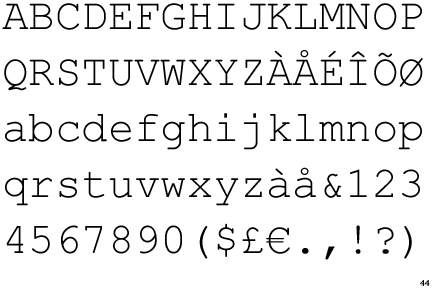
I edited the l character, but I do like the i character. It, along with other characters, are based off of Courier New, which is my favorite mono-spaced font.
Anywho, updated the main display. It will be of the appropriate size according to your number of party members.
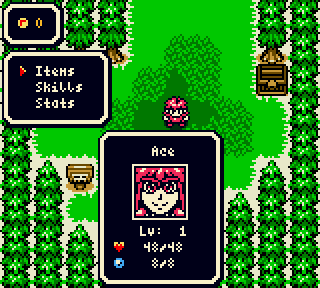
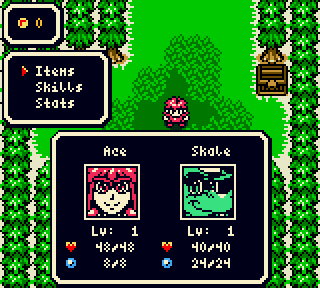
Yes, the portraits do blink.
If I haven't said so already, the game's name is decided to be Elludian Prophecy. It is being developed in my development tool of choice, Game Maker 8.1 Standard.
Edited by Koh, 02 December 2014 - 11:27 AM.
- Shane and HavoX like this
#429
Shane
-
- Members
-
🤍
Posted 02 December 2014 - 11:29 AM
Looking forward to more of your project Koh. Considered me hyped.
(Also Skale, really? Nothing wrong with that, but lol.)
Edited by Shane, 02 December 2014 - 11:29 AM.
- Koh likes this
#430
Koh
-
- Members
-
Tamer Koh
- Real Name:Dominic
- Location:Monsbaiya, Virginia
Posted 06 December 2014 - 08:14 PM
Just a little small update and info for you guys before finals week.
So, just like the other projects we're doing, Elludian Prophecy will sport a resolution switch option for the graphics in the options menu, that can be switched between at any time. It will ask you for your preference when you initially start the game, naturally. Hi-Res sprites are double the size of Lo-Res sprites, and will sport double the frames of Lo-Res sprites (for sprites that have more than a single frame) for smoother animation. Rather than just adding tweening frames, the additional frames will also be physics based, to show the motions more fluidly. For example, the cursor is done below, with Lo-Res on the left and Hi-Res on the right.

As stated above, you'll be able to play with your preference, and can switch between them anytime. The graphics will also be external like the music, so the game will just load in the appropriate files upon switching. Hi-Res sprites will follow the same color limitations of 4 colors per 8x8 tile (with one transparent if necessary). Hold on! I said per 8x8 tile, didn't I? Shouldn't it be 16x16, since Hi-Res is doubled in dimension? No! That's exactly the point. This could potentially allow the use of more colors on some sprites in certain areas. Just imagine if there existed a Gameboy Color HD. What'd happen is, all the regular GBC and GB sprites would just scale their graphics up x2 to fit the doubled graphics space. This is exactly what happens with Lo-Res sprites in this engine. Now, the GBCHD would also continue to store the graphics in 8x8 minitiles, while still having the same color limit of 4 colors per 8x8 minitile. And that's where Hi-Res comes in with this engine.
Well, that's enough exposition for today, until next time~
#431
Astromeow
-
- Members
-
RESPECT DA OBOE SOLO
Posted 06 December 2014 - 08:33 PM
That's freaking amazing. This is the kind of stuff which makes me feel Al tingly inside and inspired
- Koh likes this
#432
Koh
-
- Members
-
Tamer Koh
- Real Name:Dominic
- Location:Monsbaiya, Virginia
Posted 09 December 2014 - 06:06 PM
Another l'il update. Accounting Final Exam is this Friday, and then this semester will come to a close.
So, we're adding another choice to the player's graphical customization options. A second type of Hi-Res, Smooth Hi-Res. Smooth Hi-Res is essentially Lo-Res scaled up, and smoothened out by hand, instead of using the popular filter HQ2X. The other Hi-Res mode is what I've been doing, where I redraw the sprites to fit the new space given. A comparison with the font has been drawn up below.

I cannot stress enough how you can choose whichever you fancy at any point in the game in the options menu. The game will load the appropriate external graphics into the game based on your choices.
- Demonlink likes this
#433
Koh
-
- Members
-
Tamer Koh
- Real Name:Dominic
- Location:Monsbaiya, Virginia
Posted 09 December 2014 - 11:16 PM

See, it turns out so much better if you do it by hand, rather than using the HQ2X filter.

Edited by Koh, 09 December 2014 - 11:18 PM.
- Shane and HavoX like this
#434
Koh
-
- Members
-
Tamer Koh
- Real Name:Dominic
- Location:Monsbaiya, Virginia
Posted 10 December 2014 - 10:20 PM
I starting having too much fun with this.
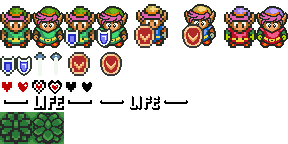
Now I'm curious how it'd turn out if LTTP had a remastered port with a graphics setting for this, lol.
Edited by Koh, 10 December 2014 - 10:22 PM.
#435
Koh
-
- Members
-
Tamer Koh
- Real Name:Dominic
- Location:Monsbaiya, Virginia
Posted 13 December 2014 - 08:39 PM

As I practice it, it gets more refined.
As for EP, we talked about having each party member with a field ability that can be used for navigation and puzzle solving. This would require switching the order of the party members often, as the lead party member is the one the player controls on the overworld. Unfortunately, I haven't thought of a way to do this with the ease of a single button, as all the buttons of the GBC are emulated, and have functions, and even some context-sensitive functionality.
Arrow Keys (GBC's D-Pad) - Movement. Double-tapping executes running.
Enter (GBC's Start) - Pause
Space (GBC's Select) - Map
Z (GBC's B) - Field Ability button, unless you're standing in front of something you can pick up. If you are carrying something, you will throw it (or put it down for some objects)
X (GBC's A) - Action button. If nothing is in front of you that you can interact with, you jump.
Switching the order of the party members is done by entering the menu and going to order. Unless I can get some ideas on how to allow you to change who's on the field faster within these controls, you'll have to go through the menu every time. I have thought about allowing the player to press Enter, and then press Space to switch to the next member in the party faster...
1 user(s) are reading this topic
0 members, 1 guests, 0 anonymous users

